
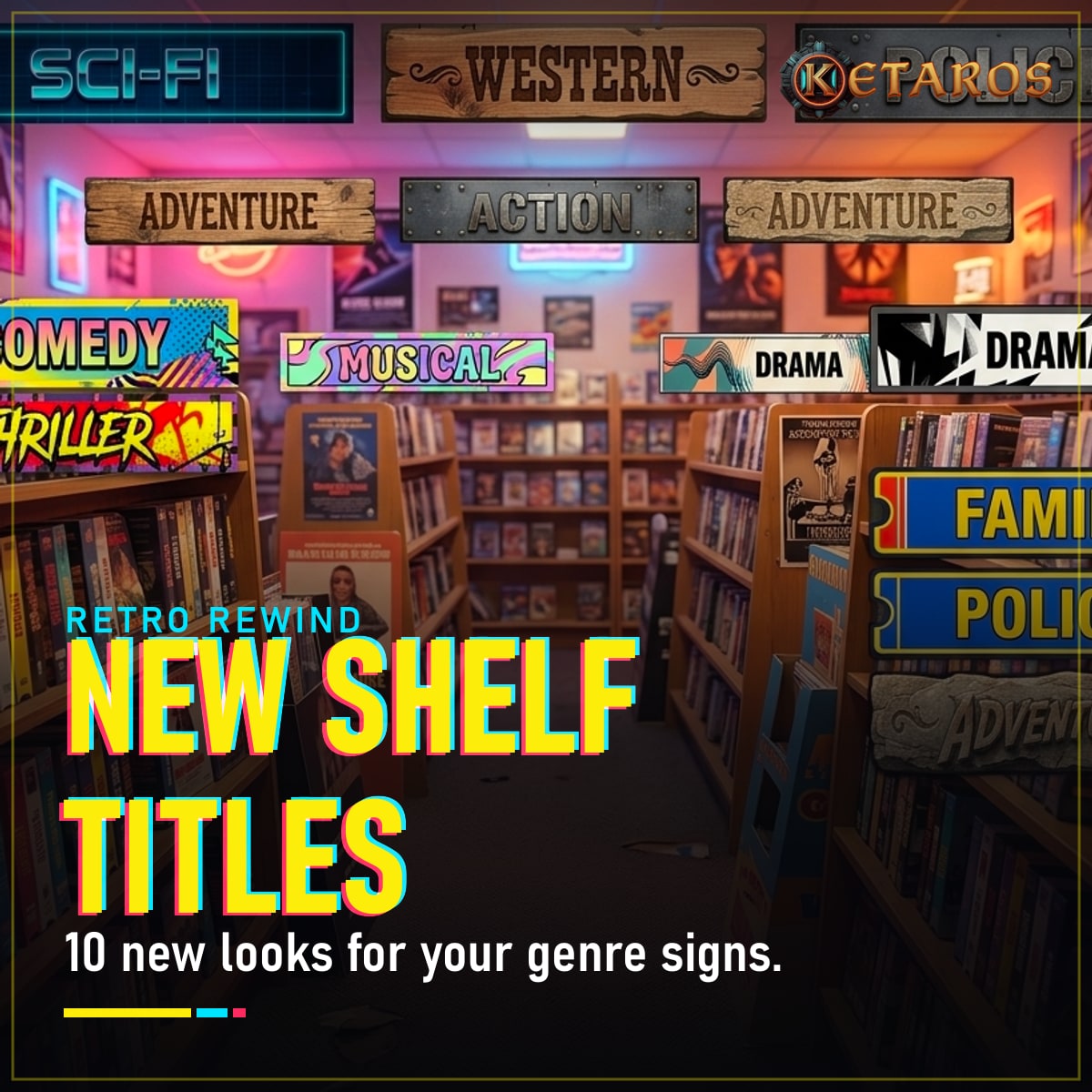
New Shelf Titles
FreeRetro Rewind · v1.0.0 · by Ketaros
Screenshots
About
10 new paint styles for your video store's shelf genre signs, added next to the game's own 6. Nothing replaced.
Tired of the same six shelf-sign looks? New Shelf Titles adds 10 brand-new paint styles for the genre signs on top of your shelves. Open a sign's paint panel ("SHELVE TITLE") and the new styles are right after the vanilla ones. Every genre (Drama, Action, Horror, Sci-Fi, Kids, Xmas, Adult... all 19, plus Mixed and Empty Shelf) has its own hand-made label in every style.
See all 10 styles on the showcase page.
Styles
Artistic, Neon, Art Deco, Blue Plates, Pop Art, Wood, Metal, Graffiti, Cartoon, Stone.
Features
- 10 new sign paints, each with all 21 genre labels
- Shows up in the game's own paint panel, with thumbnails
- Saved with your store like any vanilla paint
- Nothing replaced: works alongside sign re-skin mods
- Safe to remove: painted signs fall back to the game's plain-text label
Companion mod: New Shelf Textures, 29 new paints for the shelves themselves.
Requirements
- Retro Rewind (Steam)
- UE4SS (experimental build), extracted into
RetroRewind\Binaries\Win64. Tested with v3.0.1 Experimental; Retro Rewind runs on Unreal Engine 5.4, so the stable build is not the one.
Installation
Install
- Close the game.
- Extract the zip into the game folder (the one with
RetroRewind.exe). It adds:RetroRewind\Content\Paks\~mods\NewShelfTitles_P.pakRetroRewind\Binaries\Win64\ue4ss\Mods\NewShelfTitles\
- Start the game and open a shelf sign's paint panel.
Uninstall
Delete the two items above. Signs painted with a mod style show the plain-text genre name until you pick a vanilla paint again.
Changelog
1.0.0
- First release: 10 sign paint styles.
Comments (0)
Sign in to join the conversation.
No comments yet. Be the first.